
Prezi Review
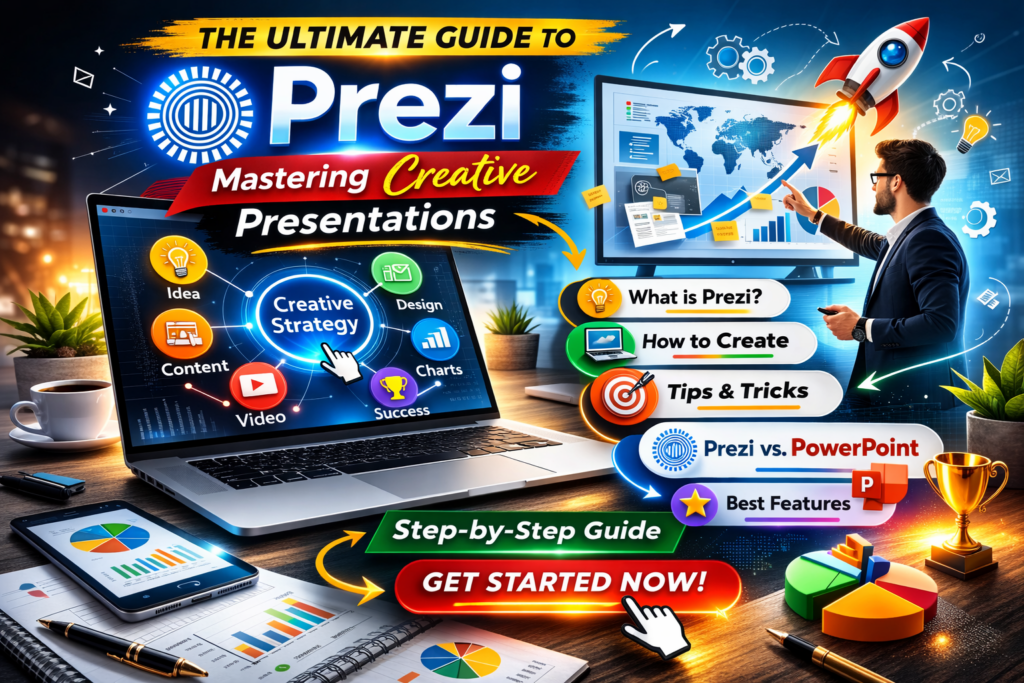
Did you know about Prezi Review, if yes then this article is for you. We will be discussing. Read on for more.
In today’s fast‑paced digital world, boring slide‑by‑slide presentations just don’t cut it anymore. Audiences want visual storytelling, smooth motion, and memorable experiences. That’s exactly where Prezi shines. Unlike traditional presentation tools, Prezi offers a dynamic, zoom‑based canvas that helps you present ideas in a more engaging and non‑linear way.
In this in‑depth 1500‑word guide, we’ll explore what Prezi is, its features, pricing, pros and cons, and who should use it—so you can decide if it’s the right presentation tool for you.
What Is Prezi?
Prezi is a cloud‑based presentation software designed to create interactive, visually rich presentations. Instead of using static slides like PowerPoint or Google Slides, Prezi uses a single large canvas where you can zoom in and out of ideas, showing how everything connects.
Founded in 2009, Prezi quickly gained popularity among educators, marketers, startups, and corporate teams looking to make presentations more engaging and memorable.
How Prezi Works
Prezi works on a Zooming User Interface (ZUI). You place text, images, videos, charts, and icons anywhere on the canvas. During the presentation, Prezi smoothly zooms from one point to another, guiding viewers through your story.
This approach helps:
- Show relationships between ideas
- Maintain audience attention
- Improve understanding and recall
You can use Prezi directly in your browser or via desktop apps for Windows and macOS.
Key Features of Prezi
1. Zoom‑Based Presentations
Prezi’s signature feature allows you to zoom in and out of topics, making complex ideas easier to explain. This storytelling style feels natural and modern.
2. Prezi Templates
Prezi offers hundreds of professionally designed templates for:
- Business pitches
- Marketing plans
- Educational lectures
- Product demos
- Social media reports
These templates save time and ensure a polished look.
3. Prezi Video
Prezi Video lets you appear on screen alongside your content, making it perfect for:
- Online classes
- Webinars
- Zoom or Microsoft Teams meetings
Your content moves dynamically next to you, keeping viewers engaged.
4. Collaboration Tools
Teams can collaborate in real time—similar to Google Docs. You can:
- Invite editors or viewers
- Leave comments
- Track changes
This makes Prezi ideal for remote and hybrid teams.
5. Multimedia Support
You can easily add:
- Images
- GIFs
- Videos
- Charts
- Icons
- PDFs
This helps create rich, interactive presentations.
6. Offline Access
With paid plans, you can download presentations and present offline, which is useful for events with poor internet connectivity.

Prezi Pricing Plans (Overview)
Prezi offers both free and paid plans:
Free Plan
- Basic features
- Public presentations only
- Prezi branding included
Plus Plan
- Private presentations
- Advanced templates
- Offline access
Premium Plan
- All Plus features
- Advanced analytics
- Priority support
Teams & Enterprise Plans
- Team collaboration
- Admin controls
- Brand customization
Pricing varies by region and billing cycle, but Prezi remains competitive compared to other premium presentation tools.
Pros of Using Prezi
Highly Engaging Visuals
Prezi presentations stand out and keep audiences focused.
Great for Storytelling
Perfect for explaining processes, strategies, and big‑picture ideas.
Excellent for Online Presentations
Prezi Video is a game‑changer for virtual meetings and classes.
Easy Collaboration
Real‑time teamwork improves productivity.
Cross‑Platform Access
Works on desktop, browser, and mobile devices.
Cons of Prezi
Learning Curve
New users may need time to get comfortable with zoom‑based navigation.
Motion Sensitivity
Too much zooming can feel overwhelming if not used carefully.
Limited Free Version
Free plan is quite restricted compared to competitors.
Prezi vs PowerPoint
| Feature | Prezi | PowerPoint |
|---|---|---|
| Presentation Style | Zoom‑based canvas | Slide‑based |
| Engagement Level | High | Medium |
| Online Presentations | Excellent | Average |
| Learning Curve | Moderate | Easy |
| Collaboration | Strong | Strong |
Prezi is ideal if you want impact and creativity, while PowerPoint is better for simple, linear presentations.
Who Should Use Prezi?
Prezi is perfect for:
- Educators & trainers
- Marketing professionals
- Startup founders & entrepreneurs
- Sales teams
- Content creators & YouTubers
If your goal is to capture attention and explain ideas visually, Prezi is a strong choice.
Tips to Create Better Prezi Presentations
- Keep zooming minimal and purposeful
- Focus on one main idea per section
- Use visuals more than text
- Maintain consistent colors and fonts
- Practice navigation before presenting
Instapage Review: The Ultimate Landing Page Builder for High-Converting Campaigns
SEO & Marketing Use of Prezi
Prezi presentations can be embedded on websites, shared on social media, and used in webinars. This makes them great for:
- Lead generation
- Brand storytelling
- Product demos
- Educational content marketing
Many businesses use Prezi to improve engagement rates and presentation conversions.
Conclusion
Yes—Prezi is absolutely worth it if you want to go beyond boring slides and create presentations that truly connect with your audience. While it may take some time to master, the results are impressive.
For professionals who value visual storytelling, engagement, and modern design, Prezi is one of the best presentation tools available today.
If you’re ready to upgrade your presentations and stand out, Prezi is a smart investment.