
Best Horizontal Viewing Angle for TV
Did you know about Best Horizontal Viewing Angle for TV, if yes then this article is for you. We will be discussing. Read on for more.
You most likely don’t give your TV’s viewing angle much thought when you settle down to watch your favorite movie or sporting event. Unbelievably, however, the horizontal viewing angle of your TV can significantly alter the color, contrast, and overall quality of the image.
This is precisely what we mean if you’ve ever observed that your TV appears washed out or darker when you move it to the side. Discover how to determine the ideal horizontal viewing angle for your TV setup by breaking it down into basic concepts.
What Does “Horizontal Viewing Angle” Mean?
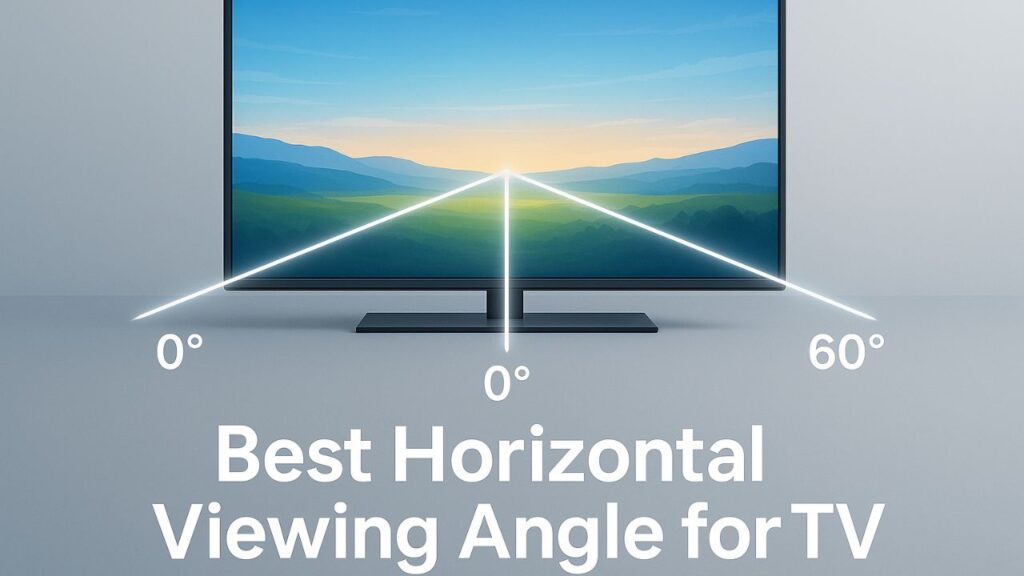
The distance to the left or right of your TV’s center point before the image quality begins to deteriorate is known as the horizontal viewing angle.
The most accurate color and brightness are obtained when you are seated in the center of the screen. However, the image may begin to look like this as you go sideways:
- Less bright
- Slightly faded or washed out
- Distorted in color
Every TV has a maximum horizontal viewing angle, which is typically expressed in degrees, beyond which there is a noticeable decline in picture quality.
Why Viewing Angle Matters
You may be wondering why this is important at all. You spend the most of your time in front of your TV, after all. But not every time!
Think about these situations:
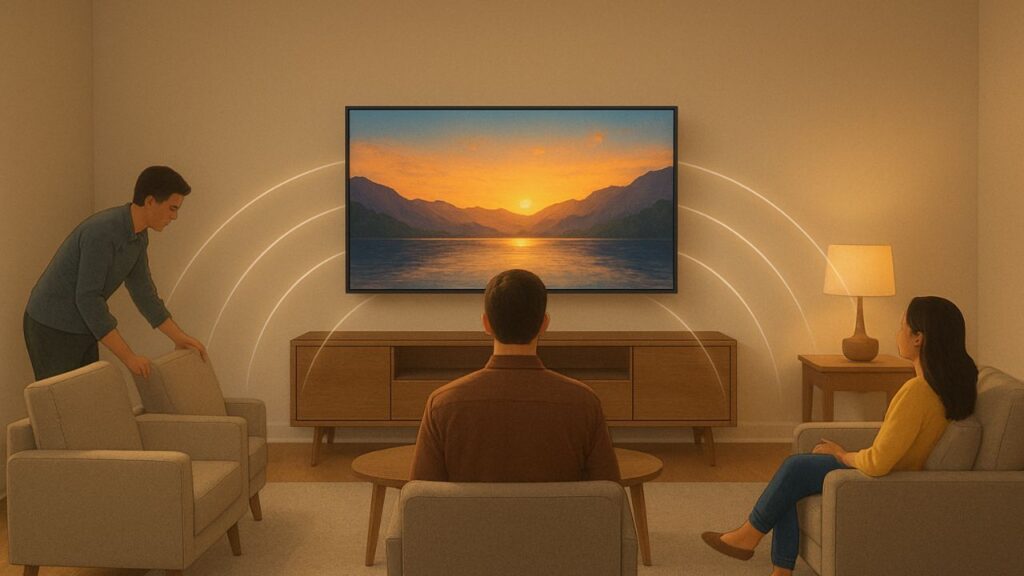
- Watching movies with friends or family on the sofa.
- Having a corner-mounted TV in your bedroom.
- Hosting a game night where everyone’s seated at different spots.
In each of these situations, viewing angles decide whether everyone sees the same vivid, clear image or if only the person in the middle has the clearest view.
The Science Behind It: Panel Types and Viewing Angles
Side viewing is handled differently by different TVs. The kind of display panel is quite important.
Here’s how the major types compare:
1. IPS (In-Plane Switching) Panels
- Best for: Wide viewing angles
- Horizontal angle: Up to 178°
- Pros: Great color accuracy from almost any direction
- Cons: Slightly lower contrast (blacks look grayish in dark rooms)
Large living rooms or family settings where individuals watch from different sides of the TV are perfect for IPS panels.
2. VA (Vertical Alignment) Panels
- Best for: Deep blacks and high contrast
- Horizontal angle: Around 100°–120°
- Pros: Excellent contrast ratio and vibrant colors
- Cons: Picture quality drops quickly off-center
VA panels provide amazing image depth if you mostly sit in front of the screen, but they are not ideal for large seating areas.
3. OLED (Organic Light Emitting Diode) Panels
- Best for: Perfect contrast and almost unlimited viewing angles
- Horizontal angle: Up to 178° or more
- Pros: Each pixel emits its own light, so color and brightness stay consistent from any side
- Cons: More expensive, with some risk of image retention (burn-in)
For premium home theaters, OLED is the king of viewing angles
Ideal Horizontal Viewing Angle in Degrees
So, what’s considered the best horizontal viewing angle?
According to display experts and TV manufacturers:
- The ideal viewing angle is 0°–30° from the center.
- The acceptable range is up to 40°–45° before the picture begins to noticeably fade.
- Beyond 60°, most LED TVs show visible color and brightness loss.
This means that you will get almost perfect quality if you draw an imaginary line from the center of your TV outward and sit anywhere within 30° on either side.
How to Find the Best Viewing Spot at Home
Here’s how to figure out your TV’s sweet spot:
- Sit in your usual spot.
Your eyes should be level with the center of the screen. - Check brightness and color.
Shift slightly to the left and right. Does the picture remain the same? If not, you are approaching the boundary of the area that is suitable for viewing. - Adjust seating or mount angle.
Angle the TV slightly in the direction of the audience if your primary seating area is off to one side. - Avoid extreme corners.
Use a swivel wall mount if your TV is in a corner so you can quickly turn it in the direction of your seats.
Mounting Tips for Better Viewing Angles
The position of your TV on the wall or stand has a significant impact on both image quality and comfort.
Keep the center of the screen at eye level.
This often means that, depending on the height of your sofa, the TV should be positioned between 42 and 48 inches from the floor.
Use a full-motion or swivel mount.
These mounts are particularly helpful if you have several seating areas because they allow you to tilt and swivel the TV for ideal alignment.
Avoid glare.
Side-angle visibility may be diminished by lighting or natural light. To reduce reflections, use curtains or change the lighting.
Don’t tilt too far up or down.
Brightness and contrast are equally impacted by vertical tilting as they are by side angles. Keep the screen directly in front of your eyes.
How to Test Your TV’s Viewing Angle
You can check your TV’s performance with a simple test:
- Display a solid color (like red, green, or blue) or a test pattern from YouTube.
- View it straight on, then gradually move to the side.
- Note when the brightness or color starts to fade — that’s your TV’s viewing limit.
Some manufacturers also mention viewing angle specs in degrees in their manuals or websites.
Also Read About Top Free Alternatives to Live TV for Android
Expert Recommendations
When purchasing a new TV, check for these qualities if you value wide viewing angles (for instance, in a family room or open-space layout):
- OLED panel or IPS LED panel
- Anti-glare coating
- Wide Viewing Angle technology (some Samsung and Sony models include this)
- Full-motion wall mount option
If you mostly sit front-center, even a VA panel TV can produce great results for smaller spaces or personal use.
Conclusion
It’s simple to determine the ideal horizontal viewing angle for your TV; it all comes down to panel selection, positioning, and seating.
To summarize:
- Sit within 30° of the center for the best picture.
- Use swivel mounts to fine-tune the angle.
- Choose IPS or OLED panels for the widest viewing range.
- Keep lighting and glare under control for consistent brightness.
No matter where you’re sitting on the couch, a few minor changes can make watching TV a lot more pleasurable, theater-like experience.
The appropriate angle equals the right picture, so keep that in mind the next time you set up your entertainment area.