
Hubstaff Review
Do you know Hubstaff Review, if yes then this article is for you. We are discussing about it here. Read more.
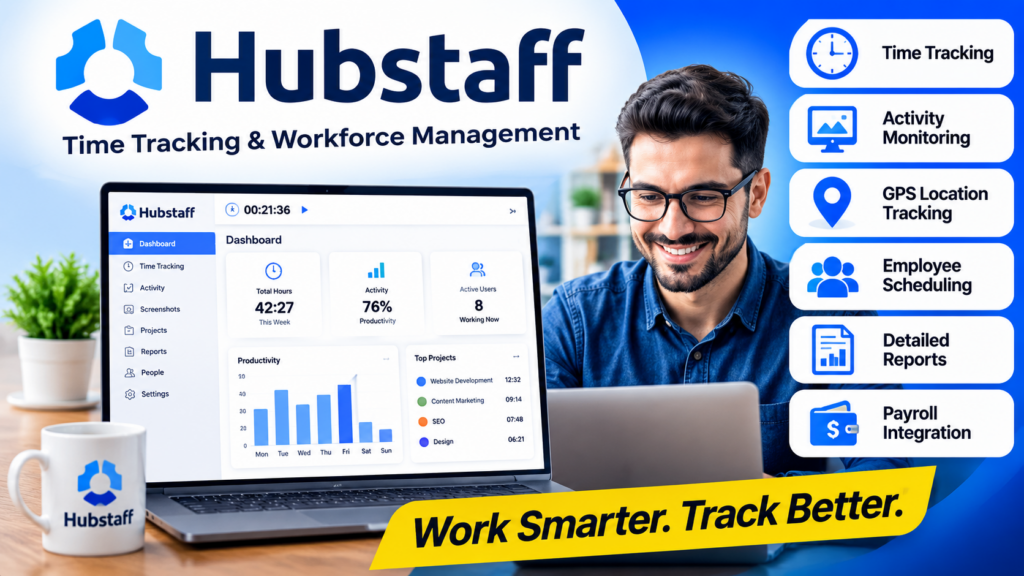
Managing a remote team or tracking billable hours can be challenging without the right software. Hubstaff is one of the most popular time tracking and workforce management platforms available today. It helps businesses monitor employee productivity, track work hours, generate reports, and automate payroll.
In this Hubstaff Review 2026, we’ll cover everything you need to know, including features, pricing, advantages, disadvantages, and whether it’s worth using for your business.
What Is Hubstaff?
Hubstaff is a cloud-based time tracking, employee monitoring, and workforce management software designed to help businesses manage remote, hybrid, and in-office teams more efficiently. It enables employees to track their working hours using desktop, web, or mobile apps, while giving managers real-time insights into productivity, project progress, and billable hours.
Hubstaff also includes features such as automated timesheets, GPS tracking, employee scheduling, payroll integrations, detailed reporting, and optional screenshot monitoring. Whether you’re a freelancer, small business owner, or managing a large organization, Hubstaff provides the tools needed to improve accountability, streamline workflows, and boost overall team productivity.
Key Features of Hubstaff
1. Time Tracking
Hubstaff allows employees to start and stop timers while working on projects. Time entries are automatically saved and can be edited if necessary.
Benefits include:
- Accurate work-hour tracking
- Billable hours calculation
- Manual timesheets
- Idle time detection
2. Employee Productivity Monitoring
Managers can monitor employee activity through:
- Keyboard activity
- Mouse activity
- Productivity percentage
- Application usage
- Website tracking
This helps businesses understand how employees spend their workday.
3. Screenshot Monitoring
Hubstaff can capture screenshots at scheduled intervals.
Features include:
- Blurred screenshots for privacy
- Random screenshot timing
- Screenshot history
- Screenshot management
This feature is especially useful for remote teams.
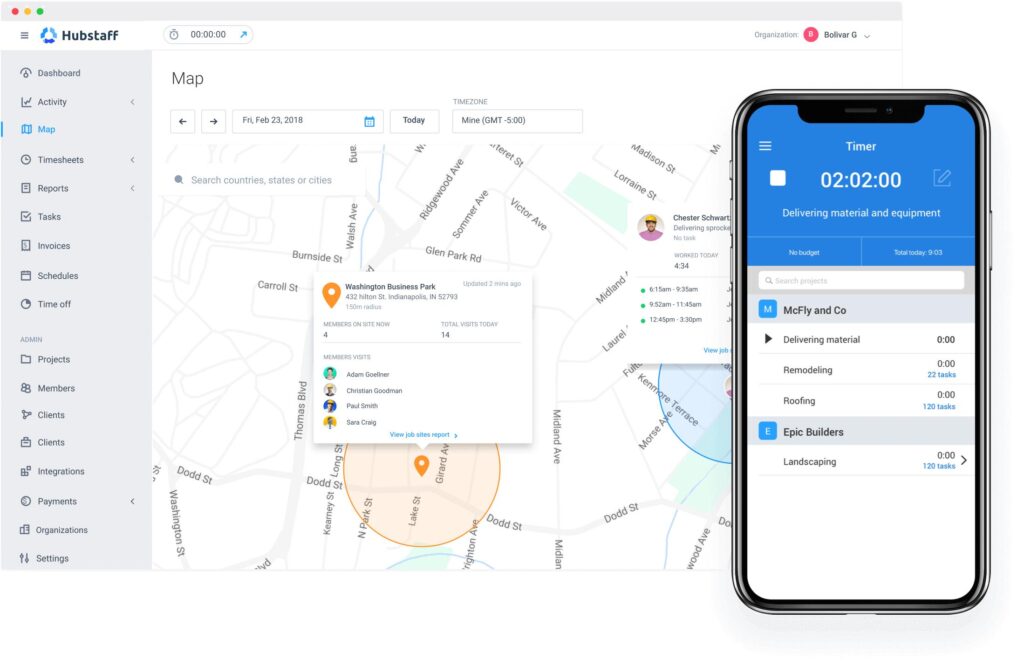
4. GPS Location Tracking
Field employees using the Hubstaff mobile app can be tracked via GPS.
Ideal for:
- Delivery services
- Cleaning companies
- Sales teams
- Construction businesses
- Home service providers
5. Project Management
Hubstaff lets businesses organize work into projects.
Managers can:
- Assign projects
- Allocate time budgets
- Track project progress
- Compare estimated vs actual hours
6. Employee Scheduling
The scheduling module allows managers to:
- Create shifts
- Assign workdays
- Set recurring schedules
- Approve time off
- Manage attendance
7. Payroll Automation
Hubstaff integrates with payment platforms to automate payroll.
Supported options include:
- PayPal
- Wise
- Gusto
- Deel
Employees can be paid based on tracked hours.
8. Reports & Analytics
Hubstaff provides detailed reports including:
- Daily activity
- Weekly productivity
- Payroll reports
- Budget reports
- Project summaries
- Team performance
These insights help businesses improve efficiency.
9. Integrations
Hubstaff works with many popular business tools.
Examples include:
- Trello
- Asana
- Jira
- ClickUp
- GitHub
- Slack
- QuickBooks
- Zapier
This makes workflow automation much easier.
Hubstaff Pricing
Hubstaff offers multiple pricing plans depending on business needs.
Typical plans include:
- Starter
- Grow
- Team
- Enterprise
Pricing may change over time, so always check the official website for the latest plans and features.
Pros
- Easy to use
- Accurate time tracking
- Automated payroll
- GPS tracking
- Employee scheduling
- Productivity monitoring
- Detailed reports
- Excellent integrations
- Mobile apps available
- Suitable for remote teams
Cons
- Screenshot monitoring may raise privacy concerns.
- Some advanced features require higher-tier plans.
- Internet connection is needed for full functionality.
- Advanced reporting is limited on lower plans.
Who Should Use Hubstaff?
Hubstaff is ideal for:
- Remote companies
- SEO agencies
- Web development firms
- Marketing agencies
- Freelancers
- Consultants
- Virtual assistants
- Customer support teams
- Construction businesses
- Field service companies
Hubstaff vs Competitors
| Feature | Hubstaff | Time Doctor | Toggl Track |
|---|---|---|---|
| Time Tracking | ✅ | ✅ | ✅ |
| Screenshots | ✅ | ✅ | ❌ |
| GPS Tracking | ✅ | Limited | ❌ |
| Payroll | ✅ | Limited | ❌ |
| Scheduling | ✅ | ❌ | ❌ |
| Reporting | Excellent | Good | Good |
| Ease of Use | Excellent | Good | Excellent |
Benefits of Using Hubstaff
Using Hubstaff can help businesses:
- Increase productivity
- Reduce time theft
- Improve project profitability
- Simplify payroll
- Track remote employees
- Generate accurate invoices
- Monitor project budgets
- Improve accountability
Is Hubstaff Safe?
Yes. Hubstaff uses secure cloud infrastructure and encrypted data transmission. Businesses can configure privacy settings, determine whether screenshots are taken, and customize monitoring features according to company policies.
Read About Tradify Review: Is It the Best Job Management Software?
Frequently Asked Questions
Is Hubstaff free?
Hubstaff offers a free plan with limited features, while paid plans provide advanced time tracking, reporting, payroll, and productivity tools.
Does Hubstaff take screenshots?
Yes. Screenshot capture is optional and controlled by the employer.
Can freelancers use Hubstaff?
Yes. Freelancers can track billable hours, monitor projects, and create reports for clients.
Does Hubstaff work on mobile devices?
Yes. Hubstaff provides apps for Android and iOS with GPS tracking and mobile time tracking.
Is Hubstaff good for remote teams?
Absolutely. It is one of the most widely used workforce management solutions for remote teams.
Conclusion
Hubstaff remains one of the best workforce management and time-tracking platforms in 2026. It combines accurate time tracking, employee productivity monitoring, GPS tracking, project management, scheduling, and payroll automation into a single platform. Whether you’re a freelancer, agency owner, or managing a large remote workforce, Hubstaff offers powerful tools to streamline operations and improve productivity.